Vim alternatives on OpenBSD
2315 words, 11 minutes
I’ve been using vi like forever. I was never an Emacs guy and I
can’t stand nano and alike. The only other editors I use are
Mousepad and Vim.
Vim already got on my nerve when they enabled mouse support and made
it the default. It’s also a big fat mama (4.7M binary, 7.1M configuration
directory) and I don’t really fancy this. Then, Vim started accepting LLM-based AI
submits
and I decided it was too much for my linkings.
So I decided to have a look at alternatives to use on my OpenBSD laptop
and various servers. I checked this particular AI-free FOSS Alternatives
list
to select alternatives that I would look for, or not. This is why
neovim, for example, was not considered.
Years of using Vim
Quoting Vim dot org
Vim is a highly configurable text editor built to make creating and changing any kind of text very efficient. It is included as “vi” with most UNIX systems and with Apple OS X.
Installation on OpenBSD is done like pkg_add vim and incantation is
vim. I’m using the simplest Vim package. No GTK3, no Lua, Perl or
Python flavor. At the time of writing, on OpenBSD 8.0-current, the
version is vim-9.2.1178.
My usage of the editor is quite simple:
- writing plain text or Markdown files. Sometimes a couple of HTML or CSS files.
- editing POSIX, Bourne or Korn Shell scripts. And also awk ones.
- editing configuration files in various formats.
- reading C, Go, Python and Makefile materials.
- composing French and English emails from (neo)mutt.
The features I actually use and consider a must for any long-term alternative are:
Vi compatible modes and basic commands.
I don’t use that many weird commands and often discover and learn new ones. But an alternative editor must be muscle memory compatible. Leaving:wqall over $WORK Word and PowerPoint documents is already enough bothering.Syntax highlighting.
I don’t need rainbow rendering. The colorscheme I use accents strings and numbers from comments and other commands. It also highlights quoting errors in scripts and spelling error in emails.UTF-8 support, for accented characters and glyphs.
Writing in French requires support for accented characters. My fancy scripts also often use glyphs that I want to display properly.Basic Regular Expression.
I already learned a couple of POSIX BRE/ERE that I can use in various UNIX CLIs. I don’t want to learn new magic spells when there is no real benefits from those. New configuration formats is already way to bothering…Visual Mode.
I didn’t always knew how to select/copy/paste text usingtmux. I learned how to use Visual mode invimto easily do this. There are other ways to achieve select/copy/paste, so Visual mode would be nice, but not required.Customized Status Bar.
It doesn’t really need to be as complex and as UNIXporn as vim-airline but I like my status bar to display a few information; like location and file name and content type. I also like to change its color so that the current mode is visually noticeable.Split View and Multiple windows.
It often happens that I need to display files content side by side. I know how to do it usingtmuxso I could do without it in the editor. But having it would be nice.Diff View.
From all the new featuresvimbrings on top onvi, I thinkvimdiffis the one I like the most. Updating configuration file during software upgrade with this mode makes SysAdmin life easier.Spell Checking.
That’s something I only use while writing posts like this one or emails. I would find other ways to spell check if it wasn’t available in the editor. But it is a really nice feature.Render Color Codes.
Rendering identified color names or HTML Hexa code texts in their corresponding color is something I regularly use when I’m in a “customize your GUI” mood. It happens way more often that necessary but not that so often that I would really require it.Mouse free interface.
There is nothing I bloody hate as much as this opt-outfeatureannoyance. I have really bad thoughts towards the people that enabled this shit as a default configuration.Automatic proposal, predictive text and GenAI assistance.
I’m mixing oranges and potatoes here but I don’t want such “features” in my text editor. I watched several “Replace Visual Studio with Vim” videos and I’m ok that this can be nice, but I don’t have a use for this. GenAI also rises a lot of attention and Love/Hate these days. I think it is quitestupidirrelevant to use this to maintain a text editor.
Some extra configuration that will be nice to replicate are:
- No backup or temporary files left on the filesystem.
- Display line number.
- Highlight search, ignoring case unless told to.
- Automatic sentence wrapping and visual margin at limit.
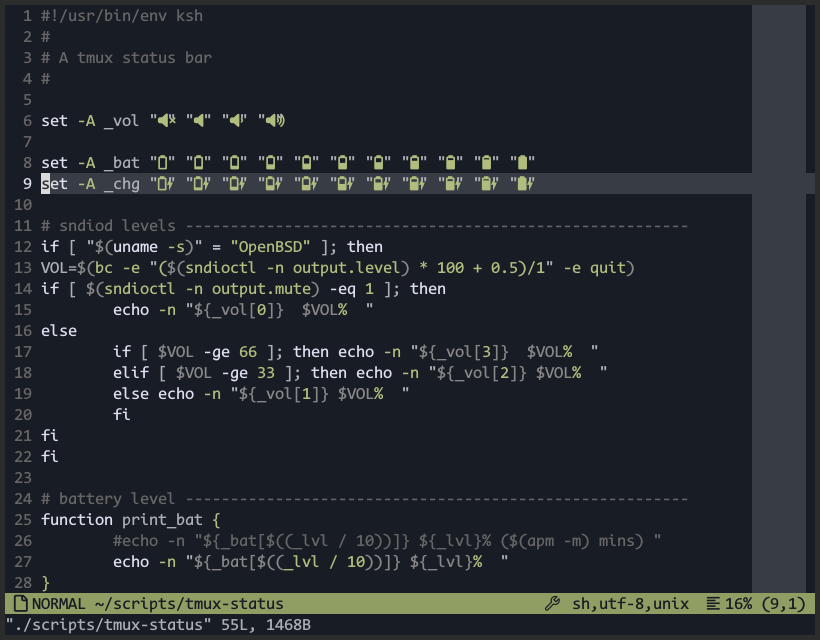
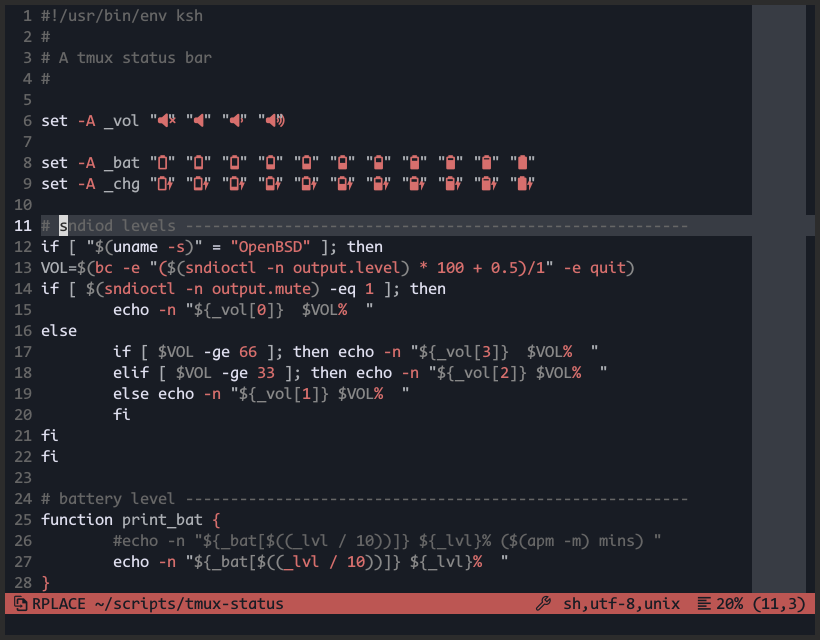
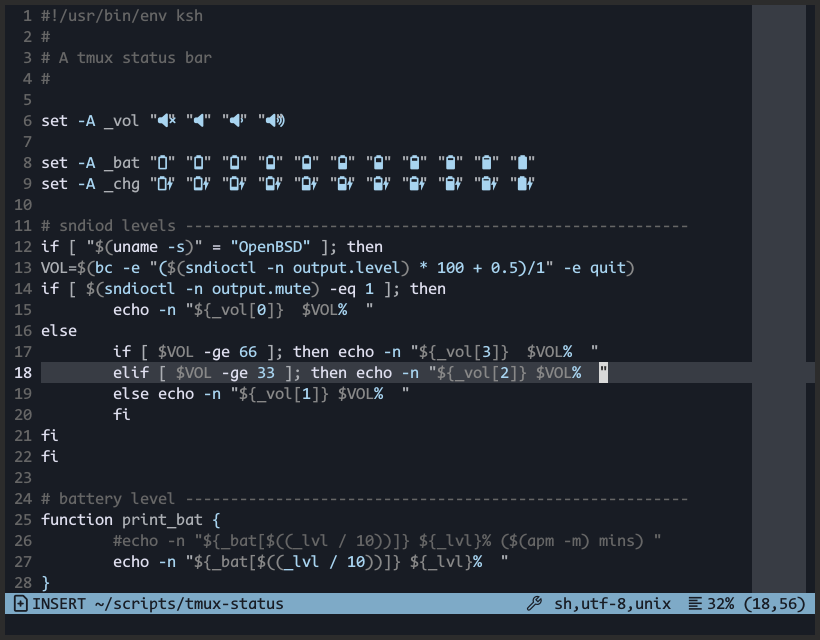
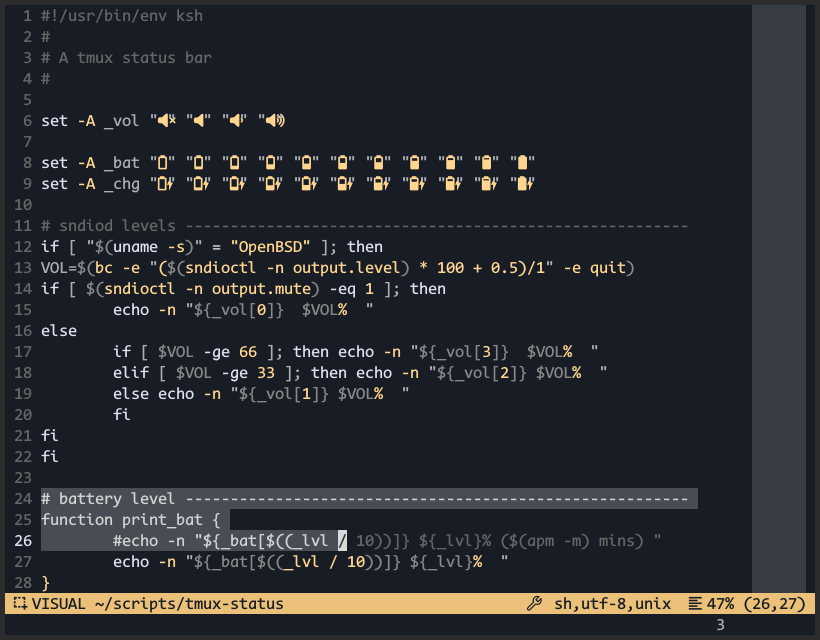
This is what it looks like when I’m editing a fancy script.
Identified vi clones
vi
Refering to the OpenBSD vi manpage
vi is a screen-oriented text editor.
On OpenBSD, a stock vi binary is available. If I read the CVS
repository properly, it should be based on nvi 1.81.5.
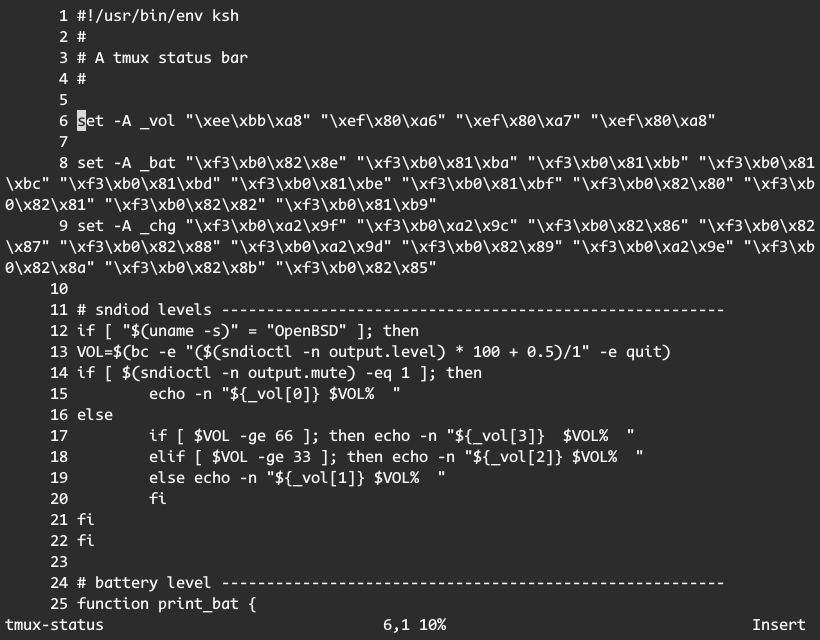
It doesn’t seem to support UTF-8 characters which is a major issue when writing French email. Also, I find it more difficult to read code when syntax highlighting is not available. Those appart, I really like it and found myself using it pretty often.
With a faily small configuration file such as
# cat .exrc
set autoindent
set flash
set number
set ruler
set showfilename
set showmatch
set showmode
set windowname
set wraplen=78
map #5 : !aspell check %
it renders this way:
Nvi
Quoting the GitHub nvi2 project
This is version 2.2.2 (2025-10-08) of nex/nvi, a reimplementation of the ex/vi text editors originally distributed as part of the Fourth Berkeley Software Distribution (4BSD), by the University of California, Berkeley.
On OpenBSD, the installation goes like pkg_add nvi and starting the
program uses the nvi or nview commands.
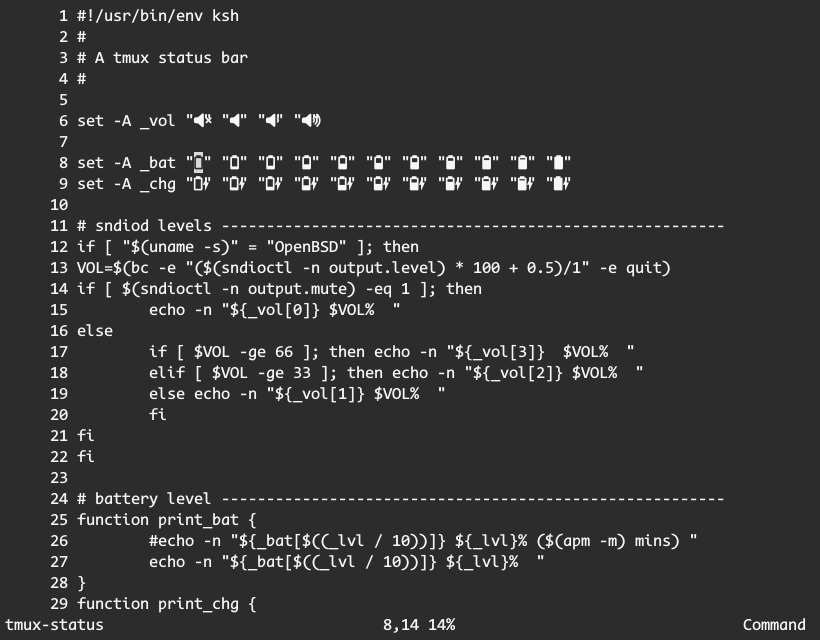
It does provide UTF-8 support but still lacks things like syntax highlighting and split display.
Using the exact same configuration as the stock vi, it looks like
this:
Neatvi
The neatvi GitHub page explains that
Neatvi is a small vi/ex editor for editing UTF-8 text. It supports syntax highlighting, multiple windows, right-to-left languages, keymaps, and the language server protocol.
It is not available in OpenBSD’s port but can be compile from sources.
# git clone https://github.com/aligrudi/neatvi.git
# cd neatvi
# make
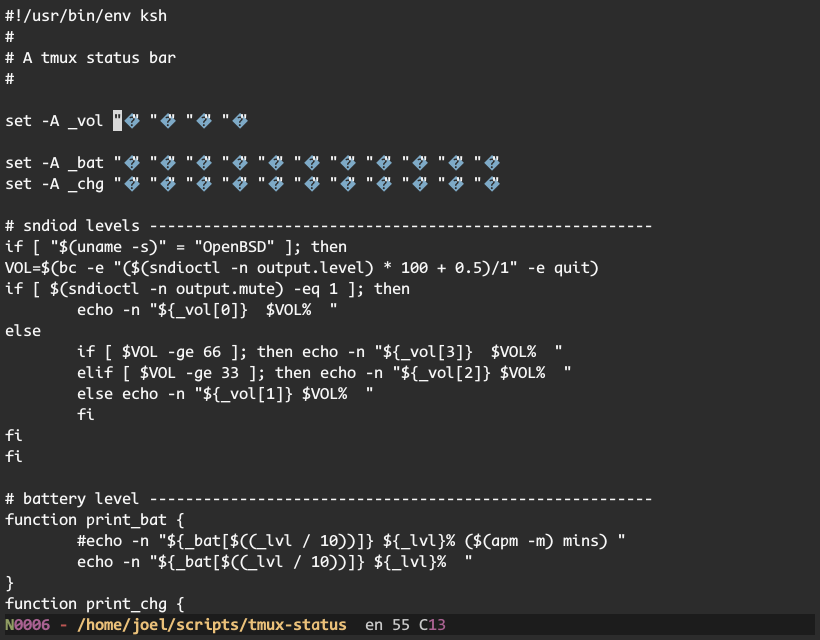
My exploration of the software didn’t last long because, by default,
UTF-8 characters would not display properly and only the historical
hjkl keys work. I could never make myself using the original letter
keys. I always used the lazy learner arrow ones ;-)
Vim-Classic
The Vim Classic website advertises
a fork of Vim 8.x for long-term maintenance, providing a stable, dependable editor — maintained entirely by humans.
On OpenBSD, it is installed using pkg_add vim-classic and is run using
vim. Note that vim and vim-classic are mutually exclusive as they
both use the same binary names.
Once ran, I found that it behaves in the same way as vim. The
only difference I found was it didn’t seem to support the ModeChanged
autocmd. I use this to switch the accent color depending on the current
mode (Insert, Replace, Visual, …).
Vis
According to the Vis GitHub page , it presents itself as
a modern, legacy-free, simple yet efficient editor, combining the strengths of both vi(m) and sam.
On OpenBSD, one can install it using pkg_add vis and run as vise. As
explained in the package details
vis is installed as vise(1) to avoid conflicts with vis(1).
The really annoying (missing) feature is the vi/ex classic search and
replace syntax. You seem to have to use the sam’s structural language.
This means you can’t use “:%s/foo/bar/g”, you have to “Use :x/pattern/ c/replacement/ instead”.
The split feature also works quite differently. You don’t specify the
split when starting the command, like “vim -O”. Vis will split
horizontally with all files passed in arguments. If you need a vertical
split, you’d have to start vis and use :split or :vsplit
accordingly.
The vis-spellcheck plugin enables syntax aware spellchecking.
The vis-colorizer plugin highlights hex colors inline.
There are many more plugins that can be used to extend vis.
The sam’s structural language annoys me and I am not well versed into
Lua. So I didn’t dig for a long time and ended up with a ~/.config/vis
configuration file that is probably filled with “could do better”… I’m
just storing it here in case I ever have to deal with it again :p
require('vis')
vis.events.subscribe(vis.events.INIT, function()
vis:command('set autoindent')
vis:command('set number')
vis:command('set cursorline')
vis:command('set colorcolumn 78')
vis:command('set theme default')
vis:command('set ignorecase')
vis:command('set wrapcolumn 78')
end)
local modes = {
[vis.modes.NORMAL] = ' NORMAL ',
[vis.modes.OPERATOR_PENDING] = '',
[vis.modes.VISUAL] = ' VISUAL ',
[vis.modes.VISUAL_LINE] = ' VISUAL ',
[vis.modes.INSERT] = ' INSERT ',
[vis.modes.REPLACE] = ' RPLACE ',
}
local function encoding(file)
local content = file:content(0, file.size)
if content and content:find("\r\n", 1, true) then
return "dos"
else
return "unix"
end
end
vis.events.subscribe(vis.events.WIN_STATUS, function(win)
local left_parts = {}
local right_parts = {}
local file = win.file
local size = file.size or 0
local sel = win.selection
local pos = sel.pos or 0
local mode = modes[vis.mode]
if mode ~= '' and vis.win == win then
table.insert(left_parts, mode)
end
table.insert(left_parts, (file.name or '[No Name]') ..
(file.modified and ' [+]' or '') .. (vis.recording and ' @' or ''))
table.insert(right_parts, ' ' .. (win.syntax or 'undefined') .. ',' ..
encoding(win.file) .. ' ')
table.insert(right_parts, ' ' .. (size == 0 and "0" or math.ceil(pos/size*100)) .. '% ')
table.insert(right_parts, '('.. sel.line .. ',' .. sel.col .. ')')
local left = ' ' .. table.concat(left_parts, "") .. ' '
local right = ' ' .. table.concat(right_parts, "") .. ' '
win:status(left, right);
end)
local spellcheck = require('plugins/vis-spellcheck')
spellcheck.default_lang = "en_US"
--local colorizer = require('plugins/vis-colorizer')
--colorizer.three = true -- (optional) diables three digit hex colors
--colorizer.six = true -- (enabled by default) six digit hex colors
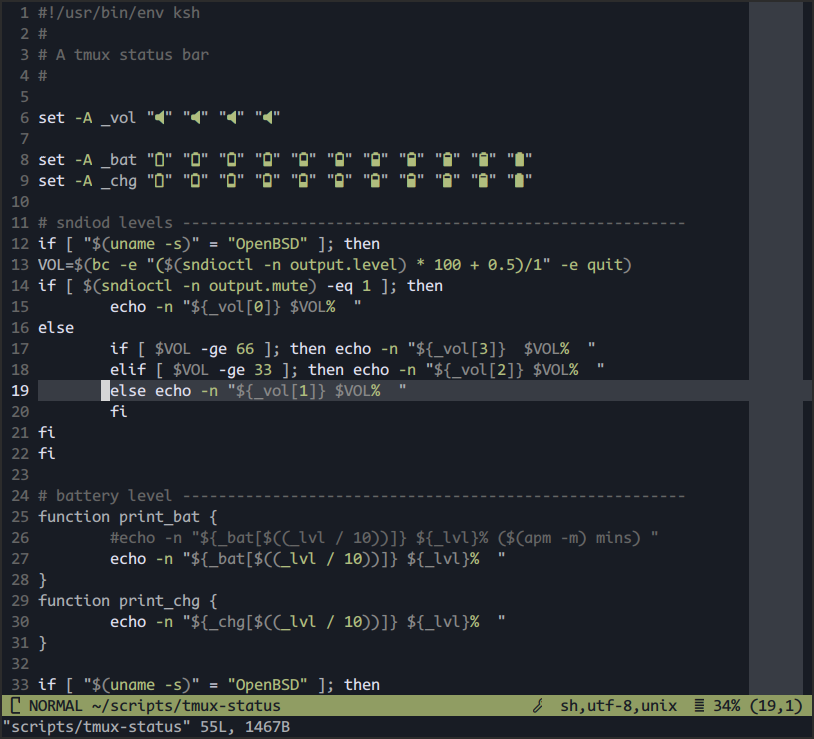
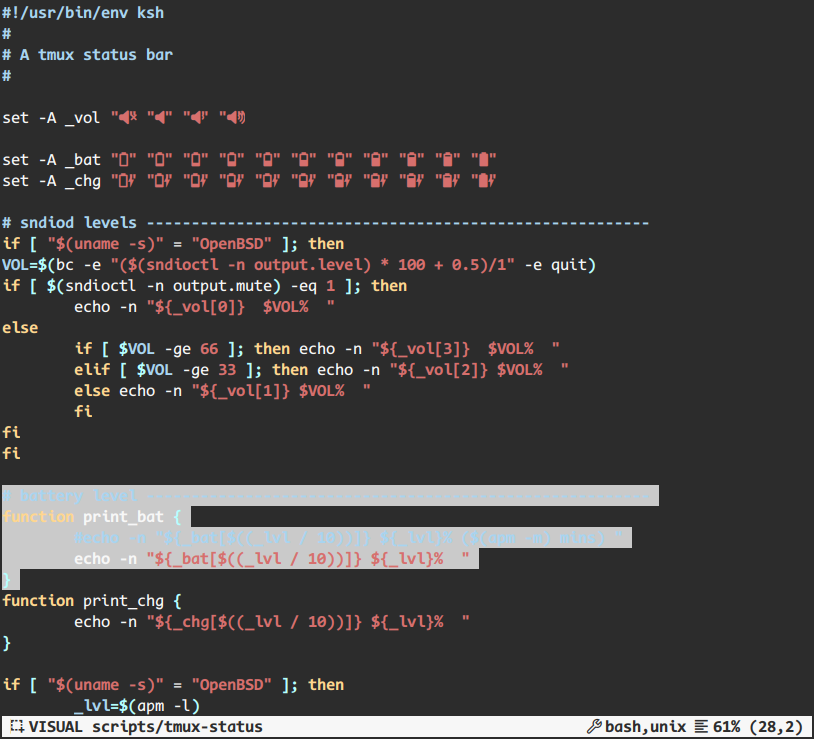
That configuration renders my script this way:
Vile
Quoting vile website
vile retains the “finger-feel”, if you will, of vi, while adding the multiple buffer and multiple window features of emacs and other editors.
On OpenBSD, the installation goes pkg_add vile and running the
software is as simple as using vile.
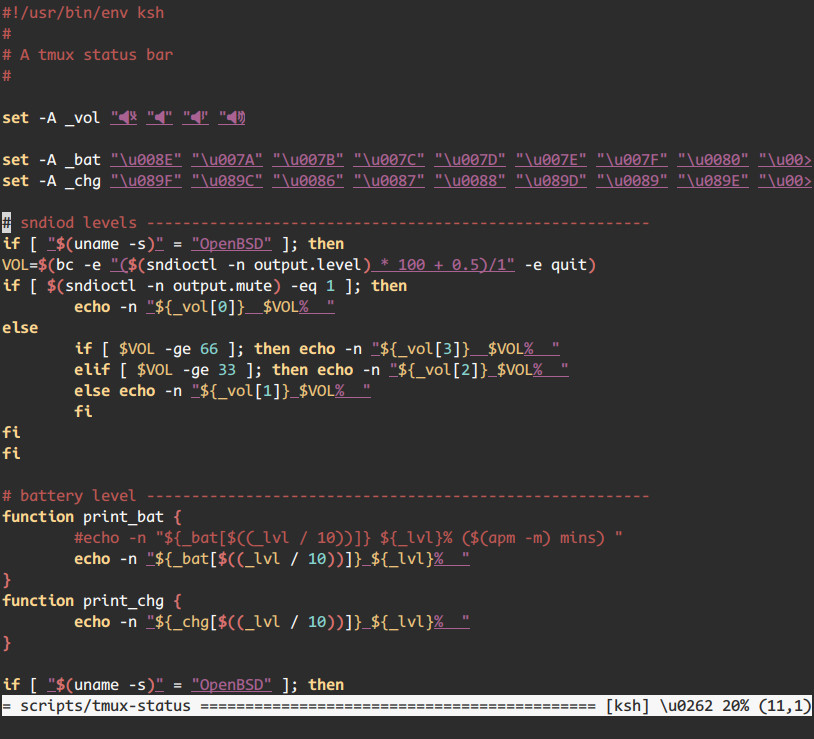
vile lacked proper UTF-8 rendering, on my computer™. Also providing horizontal split only and no visual mode selection annoys me a bit. That said, it seems to provides options for massive customization.
The configuration is located in ~/.vilerc.
set ruler
set showmode
" Enable Syntax Highlighting
source filters.rc
" Enable Spell Checker
source "spell.rc"
" Custom status bar
setv $modeline-format="%i %f %= %M %p%% (%l,%c)"
and looks like this:
Elvis
According to The Elvis Text Editor website
Elvis is a very powerful vi/ex clone providing a remarkable number of bells and whistles.
OpenBSD provides version 2.2.0 via pkg_add elvis than can be run using
elvis.
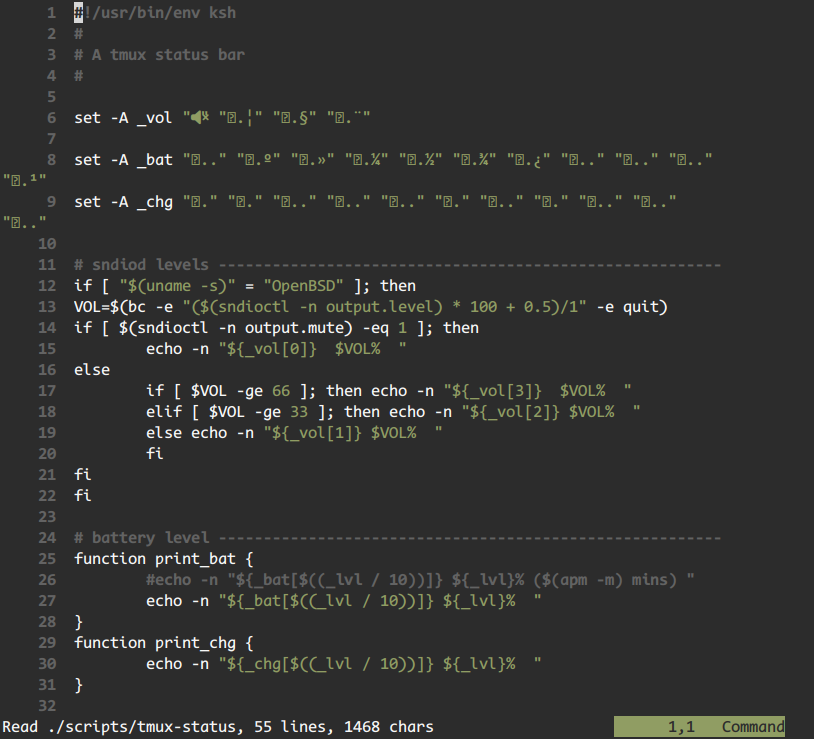
During my testings, it only partially rendered UTF-8 characters. Some glyphs were properly displayed, some not. Also accented characters rendering is not that stable. That’s a pity ‘cause that would really have rocked the house!
To avoid mixing configuration between vi and elvis, configuration
should go into ~/.elvisrc.
set guidewidth=80
set number
set ruler
set showmode
set show=file
set textwidth=78

" Vim accent inspired
set background=dark

color normal    default
color idle      default
color bottom    default
color lnum      gray
color showmode  green boxed
color ruler     like showmode
color selection yellow boxed
color hlsearch  like selection
color hlobjectn like selection
color spell     red boxed
color fold      blue boxed
color header    magenta

color specialkey magenta
color nontext    like specialkey
color extends    like specialkey

color comment   gray
color string    green
color char      like string
color regexp    yellow
color regsub    yellow
color number    like string
color keyword   like normal
color other     like normal
color function  like normal
color variable  like normal
color prep      like normal
color prepquote cyan
color doc       gray
color docmarkup like doc
color docindent like doc
color kindk     cyan
color libk      cyan
The rendering of my test script goes like this:
EVi
The EVi Codeberg project page states
EVi is an advanced modal text editor designed for programmers and system administrators. It is a hard fork from Vim v9.1.0 (Jan 2024), created to build further upon the foundations of Vim while avoiding the use of AI entirely.
It is not available in OpenBSD’s port at the time of writting. But it seems to be compiling with ease.
# git clone git clone https://codeberg.org/evi-editor/evi.git
# cd evi
# ./configure --prefix=$HOME/.local --enable-gui=no
# make
Running it from the source directory makes it miss some default
configuration files and features. But when run using the -u ~/.vimrc,
it basically mimics vim behaviour and customizations.
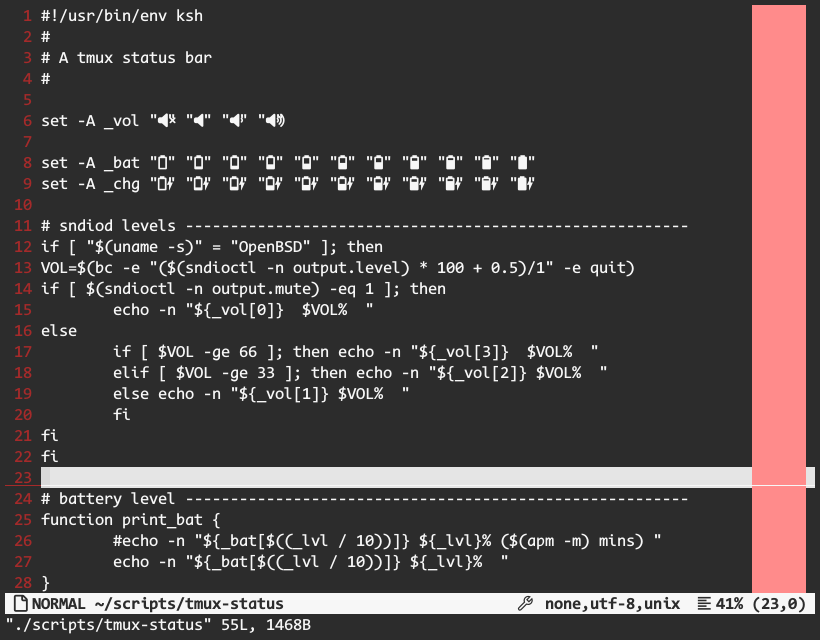
Once installed, it renders and behave the exact same way as LLM tainted Vim.
Comparison table
Displayed in not particular order, this is how those editor match my requirements, likings and interest points:
| Vim | Vi | Nvi | Elvis | Vis | Vile | Neatvi | Vim-Classic | EVi | |
|---|---|---|---|---|---|---|---|---|---|
| vi compatible | Y | Y | Y | Y | Y | Y | Y | Y | Y |
| UTF-8 | Y | N | Y | ~ | Y | ~ | N | Y | Y |
| Syntax | Y | N | N | Y | Y | Y | Y | Y | Y |
| Basic RegEx | Y | Y | Y | Y | ~ | Y | . | Y | Y |
| Visual Mode | Y | N | N | Y | Y | Y | . | Y | Y |
| StatusBar | Y | Y | Y | Y | Y | Y | . | ~ | Y |
| Split View | Y | N | N | N | ~ | ~ | . | Y | Y |
| Diff View | Y | N | N | N | N | N | . | Y | Y |
| SpellCheck | Y | Y | Y | Y | Y | Y | . | Y | Y |
| Color Codes | Y | N | N | N | Y | N | . | Y | Y |
| Mouse free | ~ | Y | Y | Y | Y | Y | Y | ~ | ~ |
Legend for this table goes: Y(es, working on my computer), N(ot featured), ~(kinda supported), .(untested).
Hope this helped you. Make your own mind. I already made mine. Cheers!